Example 138: Scientific Graph showing real-time 6
PesgoScientific Graph Objectadvanced
Real-time 6
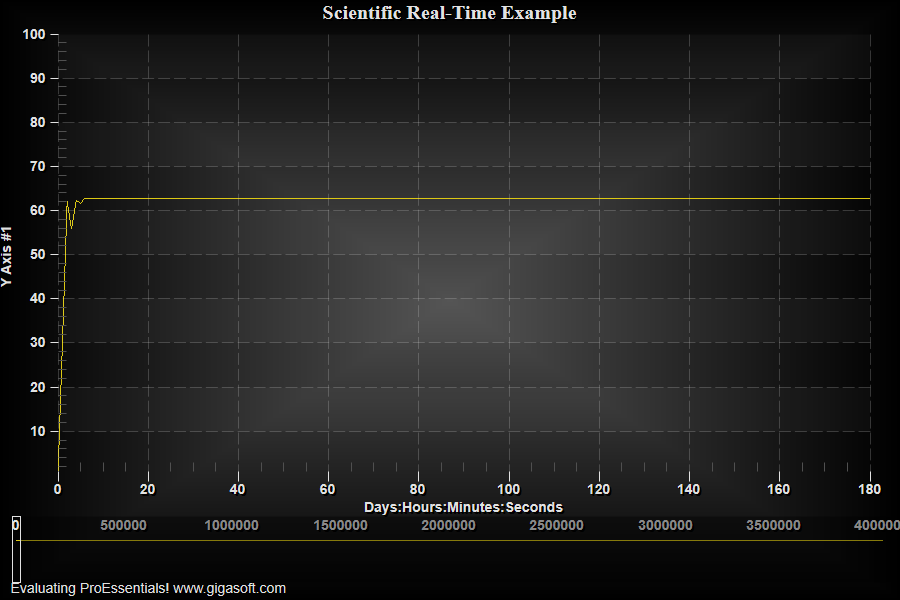
Form3.cs
1//! Chart holds 4M points. Data is fed into data arrays at current data index.2//! This type of real-time allows best method for incrementally updating large quantity of data.3//! This example uses Direct3D, historically with non Direct3D this type of implementation4//! would become slower and slower over time as data increased. With Direct3D this chart will not5//! slow down over time and though this example's timer is at 1 second, it could be faster.6 7Pesgo1.PeData.Subsets = 1;8Pesgo1.PeData.Points = 4000000;9 10// Slower to initial initialize, but allows for incremental changes with RealTimeStartingIndex and RealTimeQuanity settings.11// All Subsets will be updated at location of RealTimeStartingIndex.12Pesgo1.PeData.DynamicBuffers = true;13 14// We create our own date-time format as Direct3D does not inherently work well with double precision floats.15MainWindow.StartTime = (float)(DateTime.Now.Day * 86400 + DateTime.Now.Hour * 3600 + DateTime.Now.Minute * 60 + DateTime.Now.Second);16 17// For this type of real-time, NullDataGaps must be false and NullData is not used. Setting these NullData properties means all data will be considered valid.18Pesgo1.PeData.NullDataValue = -999.9F;19Pesgo1.PeData.NullDataValueX = -999.9F;20Pesgo1.PePlot.Option.NullDataGaps = false;21 22// For this type of real-time, ManualMinX and ManualMax must best set and never adjusted, unless a lengthier full reset23// where Pesgo1.PeData.RealTimeQuantity = 0 and Pesgo1.PeData.RealTimeStartingIndex = 0 and Pesgo1.PeFunction.Force3dxVerticeRebuild = true24// is used. As shown below, the Zoom settings can be used to change the data viewed while the manual extents remain the same.25 26Pesgo1.PeGrid.Configure.ManualScaleControlX = ManualScaleControl.MinMax;27Pesgo1.PeGrid.Configure.ManualMinX = 0; // MainWindow.StartTime;28Pesgo1.PeGrid.Configure.ManualMaxX = 4000000; // MainWindow.ZoomStart + 4000000; // 4M seconds or approx 6 weeks of second data29 30Pesgo1.PeGrid.Configure.ManualScaleControlY = ManualScaleControl.MinMax;31Pesgo1.PeGrid.Configure.ManualMinY = 1;32Pesgo1.PeGrid.Configure.ManualMaxY = 100;33 34Pesgo1.PeUserInterface.Cursor.HourGlassThreshold = 100000000;35Pesgo1.PePlot.ZoomWindow.Show = true;36Pesgo1.PeUserInterface.Scrollbar.ScrollingHorzZoom = true;37Pesgo1.PeUserInterface.Scrollbar.MouseWheelFunction = MouseWheelFunction.HorizontalZoom;38 39Pesgo1.PeGrid.Option.CustomGridNumbersX = true;40Pesgo1.PePlot.ZoomWindow.CustomGridNumbersX = true;41Pesgo1.PeString.XAxisLabel = "Days:Hours:Minutes:Seconds";42 43//Set Zoomed partial Range of X Scale//44Pesgo1.PeGrid.Zoom.MinX = 0;45Pesgo1.PeGrid.Zoom.MaxX = 180;46Pesgo1.PeGrid.Zoom.MinY = 1;47Pesgo1.PeGrid.Zoom.MaxY = 100;48Pesgo1.PeGrid.Zoom.Mode = true; // setting initial view to 180 seconds49 50// Clear out default data and set to data in far right outer coordinates //51Pesgo1.PeData.X[0, 3999999] = (float)820; // pre allocates so below spoon feed doesn't thrash memory manager52for (int i = 0; i < 4000000; i++)53 Pesgo1.PeData.X[0, i] = (float)820 + i;54 55Pesgo1.PeData.X[0, 0] = 0;56Pesgo1.PeData.Y[0, 0] = 0;57Pesgo1.PeData.Y[0, 1] = 0;58Pesgo1.PeData.Y[0, 2] = 0;59Pesgo1.PeData.Y[0, 3] = 0;60Pesgo1.PeData.Y[0, 3999999] = 0F;61 62// Set Various Other Properties ///63Pesgo1.PeColor.BitmapGradientMode = true;64Pesgo1.PeColor.QuickStyle = QuickStyle.DarkNoBorder;65 66//Set various properties//67Pesgo1.PeString.MainTitle = "Scientific Real-Time Example";68Pesgo1.PeString.SubTitle = "";69Pesgo1.PeUserInterface.Dialog.RandomPointsToExport = false;70Pesgo1.PeUserInterface.Allow.FocalRect = false;71Pesgo1.PePlot.Allow.Bar = false;72Pesgo1.PeUserInterface.Dialog.PlotCustomization = false;73Pesgo1.PeUserInterface.Allow.Popup = true;74Pesgo1.PeUserInterface.Dialog.Page2 = false;75Pesgo1.PeUserInterface.Dialog.Axis = false;76Pesgo1.PeUserInterface.Dialog.Subsets = false;77Pesgo1.PeUserInterface.Allow.TextExport = false;78Pesgo1.PeUserInterface.Dialog.AllowEmfExport = false;79Pesgo1.PeUserInterface.Dialog.AllowWmfExport = false;80 81Pesgo1.PeConfigure.PrepareImages = true;82Pesgo1.PeConfigure.CacheBmp = true;83Pesgo1.PeFont.Fixed = true;84Pesgo1.PeColor.SubsetColors[0] = Color.FromArgb(255, 220, 200, 20);85 86Pesgo1.PeConfigure.TextShadows = TextShadows.BoldText;89Pesgo1.PeFont.Label.Bold = true;90Pesgo1.PePlot.Option.LineShadows = true;92 93Pesgo1.PePlot.Method = SGraphPlottingMethod.Line;94Pesgo1.PePlot.DataShadows = DataShadows.None;95 96Pesgo1.PeGrid.Configure.AutoMinMaxPaddingX = 0;98 99// Set various export defaults //100Pesgo1.PeSpecial.DpiX = 600;101Pesgo1.PeSpecial.DpiY = 600;102 103Pesgo1.PeConfigure.RenderEngine = RenderEngine.Direct3D;104Pesgo1.PeConfigure.AntiAliasText = true;105Pesgo1.PeConfigure.AntiAliasGraphics = true;106 107Pesgo1.PeFunction.Force3dxVerticeRebuild = true;108Pesgo1.PeFunction.ReinitializeResetImage();109Pesgo1.Invalidate();110 111// Initialize Counters and Timer //112MainWindow.m_nRealTimeCounter = 1;113MainWindow.m_nSinCounter = 1;114 115MainWindow.Timer1.Interval = 1000;116MainWindow.Timer1.Start();117 118/*119/////////////////////////120// Example Timer Event //121/////////////////////////122private void Timer1_Tick(object sender, System.EventArgs e)123{124 float newy;125 float newx;126 127 // New y value and x value //128 newy = (float)(50 + (Math.Sin(m_nSinCounter * 0.075) * 30) + (Rand_Num.NextDouble() * 15));129 newx = (float)(DateTime.Now.Day * 86400 + DateTime.Now.Hour * 3600 + DateTime.Now.Minute * 60 + DateTime.Now.Second);130 newx -= (float)StartTime;131 132 // Store new values at current index //133 Pesgo1.PeData.X[0, m_nRealTimeCounter] = newx;134 Pesgo1.PeData.Y[0, m_nRealTimeCounter] = newy;135 136 Pesgo1.PeData.RealTimeQuantity = 1;137 Pesgo1.PeData.RealTimeStartingIndex = m_nRealTimeCounter;138 139 // SinCounter is only to produce sin wave data //140 m_nSinCounter = m_nSinCounter + 1;141 if (m_nSinCounter > 30000) { m_nSinCounter = 1; }142 143 // Increment index counter //144 m_nRealTimeCounter = m_nRealTimeCounter + 1;145 147 {148 if (newx >= Pesgo1.PeGrid.Zoom.MaxX)149 {150 Pesgo1.PeGrid.Zoom.MaxX = newx + 90;151 Pesgo1.PeGrid.Zoom.MinX = (newx + 90) - 180;152 }153 }154 155 // Update image and force paint //156 Pesgo1.PeFunction.Force3dxVerticeRebuild = true;157 Pesgo1.Invalidate();158}159 160///////////////////////////////////////////////////161// Example CustomGridNumber Event is below //162/////////////////////////////////////////////163private void Pesgo1_PeCustomGridNumber(object sender, Gigasoft.ProEssentials.EventArg.CustomGridNumberEventArgs e)164{165 // x axis and zoom x axis // axistype = 2 for x axis, axistype = 7 for zoomwindow x axis166 int nDays, nHours, nMinutes, nSecs;167 nDays = 0; nHours = 0; nMinutes = 0; nSecs = 0;168 double dDaysRemainer, dHrsRemainer, dMinRemainer;169 dDaysRemainer = 0; dHrsRemainer = 0; dMinRemainer = 0;170 171 double d = e.NumberValue; // -StartTime;172 173 nDays = (int) (d / 86400);174 dDaysRemainer = (d % 86400);175 176 nHours = (int) (dDaysRemainer / 3600);177 dHrsRemainer = dDaysRemainer % 3600;178 179 nMinutes = (int)(dHrsRemainer / 60);180 dMinRemainer = dHrsRemainer % 60;181 182 nSecs = (int) dMinRemainer;183 184 e.NumberString = nDays.ToString() + ":" + nHours.ToString() + ":" + nMinutes.ToString() + ":" + nSecs.ToString();185}186 187*/Tip: Uses property syntax like
Pego1.PeData.Y[s, p]Click underlined properties to view documentation