AI Code Assistant Data
Supercharge Your Chart Development with AI


AI Code Assistant
AI Tool-Augmented Dynamic Context for ProEssentials
ProEssentials includes a Python-powered AI assistance system that gives any AI assistant on-demand access to the complete ProEssentials API — with ground truth validation that prevents hallucinated property paths. We call this AI Tool-Augmented Dynamic Context. Rather than static context files, our pe_query.py script dynamically queries structured JSON data, returning only what the AI needs for each task. The result: an AI assistant that can answer technical support questions and write ProEssentials code with remarkable accuracy.
What Is This?
This is not a chatbot or a hosted service. It's a set of local files included with your ProEssentials installation that you load into your preferred AI tool. The AI reads our knowledge files, runs our query script against our API data, and produces validated code for your projects.
As of this writing, we strongly recommend Claude Opus through the Claude web browser interface for the best results. The Projects feature lets you persist knowledge files across conversations, and Claude's code execution runs pe_query.py directly to look up and validate API paths in real time.
Claude Opus, with these resources loaded, can answer technical support questions and write ProEssentials code almost as well as our own support team — and in some aspects better, because it writes working example code on the spot.
Understanding ProEssentials' terminology, demos, and features lets you craft stronger prompts and get better results.

AI Tool-Augmented Dynamic Context workflow with pe_query.py
What's Included
Knowledge Files
32 .txt files (~83K tokens) covering architecture, chart object patterns, annotations, events, real-time streaming, axis formatting, and more. These are the conceptual foundation the AI reads before writing code.
Query Tool
pe_query.py — a Python script with 15+ commands: search, props, enum, validate, features, recipe, examples, and more. The AI runs this tool to look up exact property paths, enum values, method signatures, and example code on demand.
API Ground Truth
net-complete-enriched.json — the complete .NET-interface extraction: 1,108 properties, 1,260 methods, 40 events, 169 enums, and 16 structs pulled directly from the ProEssentials DLL binary. The authoritative source that prevents hallucinated API paths.
API Documentation
ProEssentials_unified-docs.json — rich descriptions, comments, seeAlso references, and keywords for all 1,097 documented properties. Provides the context the AI needs to choose the right properties for each task.
Code Examples
ProEssentials_allExamples.json — 116 working examples, each with both C# and C++ code. Covering all five chart objects: Pego (37), Pesgo (50), Pe3do (18), Pepso (7), and Pepco (4).
Feature Index
pe-feature-index.json — 69 feature groups with 604 synonyms mapping natural language queries to the exact API paths, enums, methods, and examples that implement each feature.
Setup: Claude AI Projects
- Create a new Project in the Claude web UI. Projects let you persist knowledge files so they're available across every conversation.
- Add the 32 knowledge .txt files and pe_query.py as project knowledge context files. As of this writing, this uses approximately 12% of your file space. You likely won't need pe-cpp-api-reference unless you're doing pure C++ DLL development.
- Generally, do not add the larger JSON files into project knowledge — instead, drag them into a conversation once it starts. This gets more data into each conversation.
- For Excel, Access, or Delphi/Builder development, also drag in the relevant main form/unit code files (they can be zipped) so the AI can cross-reference with the allExamples JSON.
Starting a Conversation
Prompt Claude from the Main Project first-prompt area with:
The conversation will start and the screen will change. Drag in your JSON data files and any additional files. Then submit your real prompt:
Use this process repeatedly. Start a new conversation with each question, or whenever a conversation has gone through a few rounds of questions and answers.
The pe_query.py Tool
The validate command is what sets this system apart. Before delivering code, the AI checks every .NET property path against DLL-extracted ground truth. Invalid paths get a suggestion for the correct path. This catches the most common AI coding error: hallucinated property names.
Language and Framework Coverage
Our ai-data folder provides coverage for C#, MFC C++, OCX development in Excel/Access, and Embarcadero Delphi/Builder VCL development. The 116 code examples include both C# and C++ implementations. We primarily trained on .NET WinForm content, but the AI assistance strategy understands VCL/OCX differences and knows our low-level DLL calls.
- C# .NET / WPF — Primary coverage with 116 examples
- MFC C++ — 116 C++ examples plus full DLL API reference
- OCX (Access) — Cross-referenced with allExamples
- Delphi / C++ Builder VCL — Cross-referenced with allExamples
Download Location
All AI data files are installed with ProEssentials and ready to use.
The same files are also a public GitHub repository, so an AI assistant can read the knowledge base without installing ProEssentials first. Point it at the repo and ask your question.
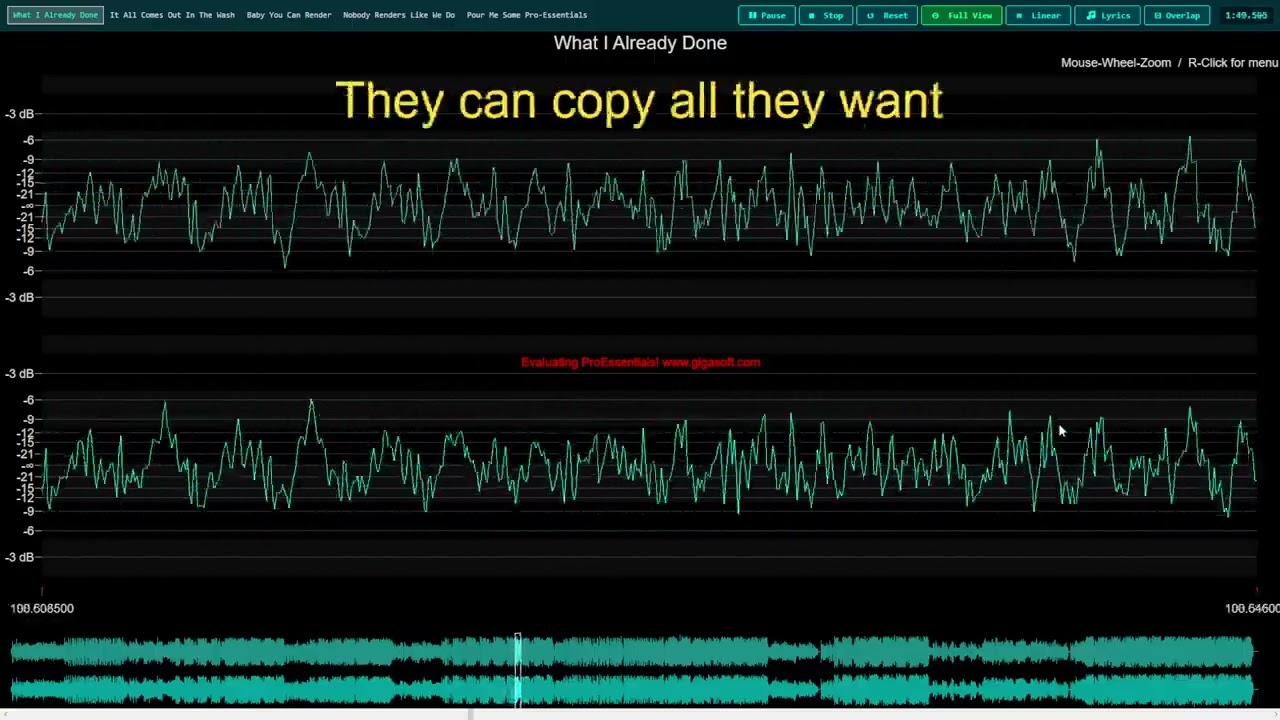
Clone and Run to see in action: Audio Wave Repo, dynamic graph annotated lyrics.
Need Help?
If you need assistance setting up the AI resources or have questions about ProEssentials, our support team is here to help.
Contact SupportOur Mission
Your success is our #1 goal by providing the easiest and most professional benefit to your organization and end-users.
We are Engineers
ProEssentials was born from professional Electrical Engineers needing their own charting components. Join our large list of top engineering companies using ProEssentials.
Thank You
Thank you for being a ProEssentials customer, and thank you for researching the ProEssentials charting engine.