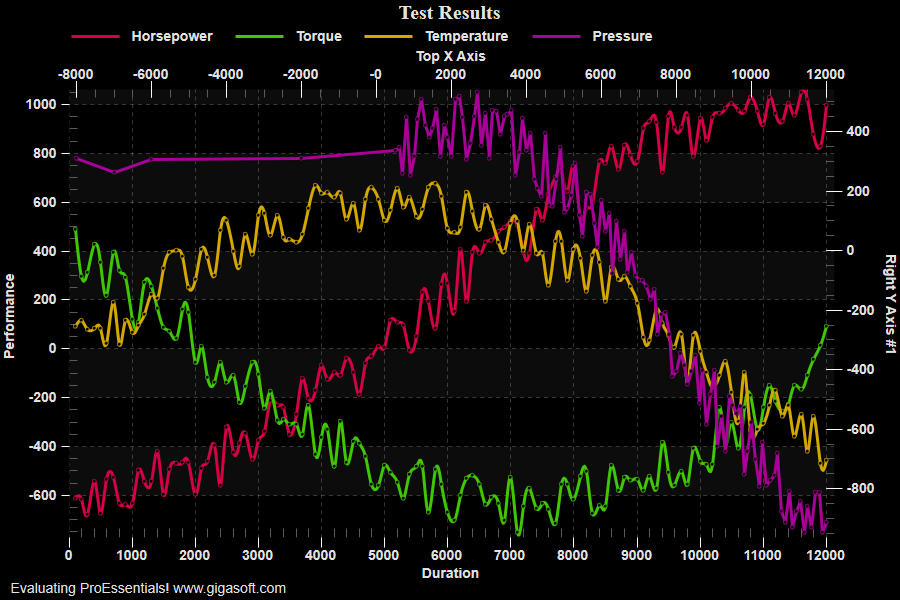
Example 105: Scientific Graph showing data cursor
PesgoScientific Graph Objectintermediate
Data cursor
Form3.cs
1//! Cross-Hair inside chart is a cursor giving a datapoint the focus //2//! Use arrow keys or mouse to move cursor to a new location //3//! You must click the control to give it the focus before key strokes will work. //4//! Right and Left arrow keys move cursor up and down points //5//! Up and Down arrow keys move cursor up and down subsets //6 7// This example builds upon the basic CreateSimpleSGraph '100' example chart //8CreateSimpleSGraph(Pesgo1);9 10// Set up cursor //11Pesgo1.PeUserInterface.Cursor.Mode = CursorMode.DataCross;12 13// Help see data points //14Pesgo1.PePlot.MarkDataPoints = true;15 16// This will allow you to move cursor by clicking data point //17Pesgo1.PeUserInterface.Cursor.MouseCursorControl = true;18Pesgo1.PeUserInterface.HotSpot.Data = true;19Pesgo1.PeUserInterface.HotSpot.Size = (HotSpotSize)12;20 21Pesgo1.PeColor.BitmapGradientMode = false;22Pesgo1.PeColor.QuickStyle = QuickStyle.DarkNoBorder;23Pesgo1.PePlot.Method = SGraphPlottingMethod.Spline;24 25Pesgo1.PeUserInterface.Allow.Zooming = AllowZooming.None;26Pesgo1.PeUserInterface.Scrollbar.MouseWheelFunction = MouseWheelFunction.HorizontalVerticalZoom;27Pesgo1.PeUserInterface.Scrollbar.MouseDraggingX = true;28Pesgo1.PeUserInterface.Scrollbar.MouseDraggingY = true;29Pesgo1.PeUserInterface.Scrollbar.MouseWheelZoomFactor = 1.05F;30Pesgo1.PeUserInterface.Scrollbar.MouseWheelZoomSmoothness = 1;31Pesgo1.PeUserInterface.Scrollbar.PinchZoomSmoothness = 2;32 33// changing data testing mousecursorcontrolclosestpoint34// and tooltip features35Pesgo1.PePlot.RYAxisComparisonSubsets = 1; // last subset uses right y axis36Pesgo1.PePlot.TXAxisComparisonSubsets = 1; // last subset uses top x axis37Pesgo1.PeData.X[3, 0] = -8000.0F;38Pesgo1.PeData.X[3, 1] = -7000.0F;39Pesgo1.PeData.X[3, 2] = -6000.0F;40Pesgo1.PeData.X[3, 3] = -2000.0F;41 42Pesgo1.PePlot.ZoomWindow.Show = true;43 44// v9 features45Pesgo1.PeUserInterface.Cursor.PromptTracking = true;46Pesgo1.PeUserInterface.Cursor.PromptStyle = CursorPromptStyle.XYValues;47Pesgo1.PeUserInterface.Cursor.PromptLocation = CursorPromptLocation.ToolTip;48 49Pesgo1.PeUserInterface.Cursor.TrackingCustomDataText = true;50Pesgo1.PeUserInterface.Cursor.TrackingCustomOtherText = true;51Pesgo1.PeUserInterface.HotSpot.Title = true;52Pesgo1.PeUserInterface.HotSpot.Subset = true;53Pesgo1.PeUserInterface.HotSpot.AxisLabel = true;54Pesgo1.PeUserInterface.HotSpot.GridNumberY = true;55Pesgo1.PeUserInterface.HotSpot.GridNumberX = true;56 57Pesgo1.PeUserInterface.Cursor.MouseCursorControlClosestPoint = true;58Pesgo1.PeUserInterface.HotSpot.Data = true;59 60Pesgo1.PeConfigure.CacheBmp2 = true;61Pesgo1.PeUserInterface.Cursor.DrawCursorToCache = true;62Pesgo1.PeUserInterface.Cursor.VertLineType = LineAnnotationType.Dash;63Pesgo1.PeUserInterface.Cursor.HorzLineType = LineAnnotationType.Dash;64Pesgo1.PeUserInterface.Cursor.CursorColor = Color.Red;65 66Pesgo1.PeColor.SubsetColors[0] = MainWindow.DemoColors[0];67Pesgo1.PeColor.SubsetColors[1] = MainWindow.DemoColors[1];68Pesgo1.PeColor.SubsetColors[2] = MainWindow.DemoColors[2];69Pesgo1.PeColor.SubsetColors[3] = MainWindow.DemoColors[3];70 71// Generally call ReinitializeResetImage at end **'72Pesgo1.PeFunction.ReinitializeResetImage();73Pesgo1.Invalidate();74// Optionally call Pego1.Refresh() if you are not seeing changes immediatelyTip: Uses property syntax like
Pego1.PeData.Y[s, p]Click underlined properties to view documentation