Example 140: Scientific Graph showing Bitmaps as symbols
PesgoScientific Graph Objectintermediate
Bitmaps as symbols
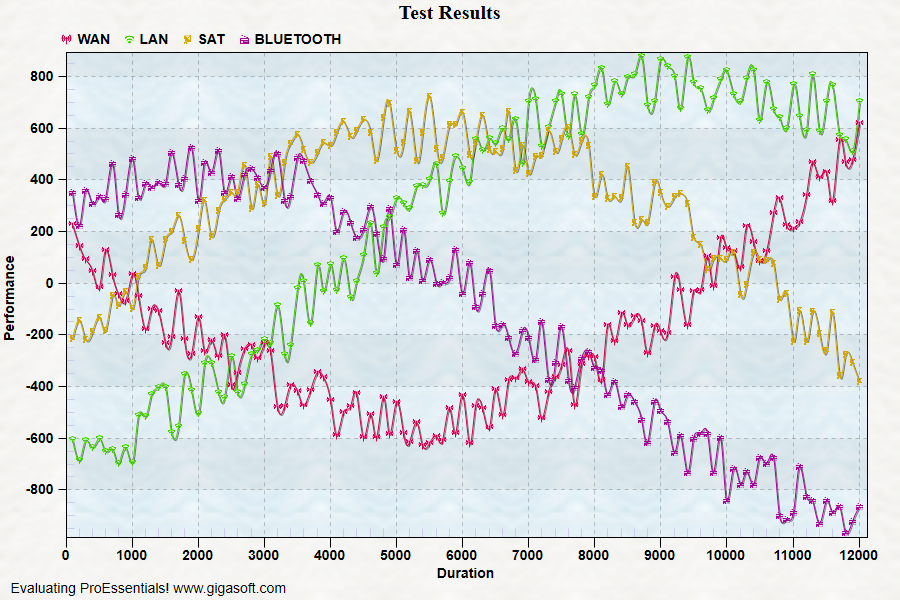
Form3.cs
1//! Showing how to use custom bitmaps as Subset or GraphAnnotation Symbols.2//! First, the bitmaps are defined.3//! Second, SubsetLineTypes is set to point to bitmap via special type designation 10001 + WorkingBitmap.4 5CreateSimpleSGraph(Pesgo1);6 7// New v10 Resource Bmp feature, defining custom bitmaps to use as symbols //8 9Pesgo1.PeConfigure.RenderEngine = RenderEngine.Direct3D; // Important: Set RenderEngine = Direct3D early when configuring Resource Bitmap features10 11Pesgo1.PePlot.Bitmaps.WorkingBitmap = 0;12Pesgo1.PePlot.Bitmaps.Filename = "symbol01.png";13Pesgo1.PePlot.Bitmaps.ColorizeMode = ResourceBitmapColorizeMode.Mask; // SubsetColor defines color, needs to be set before SubsetPointTypes14Pesgo1.PePlot.Bitmaps.Style = ResourceBitmapStyle.SmallCentered;15 16Pesgo1.PePlot.Bitmaps.WorkingBitmap = 1;17Pesgo1.PePlot.Bitmaps.Filename = "tint.png";18Pesgo1.PePlot.Bitmaps.ColorizeMode = ResourceBitmapColorizeMode.Tint;19Pesgo1.PePlot.Bitmaps.Style = ResourceBitmapStyle.SmallCentered;20 21Pesgo1.PePlot.Bitmaps.WorkingBitmap = 2;22Pesgo1.PePlot.Bitmaps.Filename = "symbol03.png";23Pesgo1.PePlot.Bitmaps.ColorizeMode = ResourceBitmapColorizeMode.Mask;24Pesgo1.PePlot.Bitmaps.Style = ResourceBitmapStyle.SmallCentered;25 26Pesgo1.PePlot.Bitmaps.WorkingBitmap = 3;27Pesgo1.PePlot.Bitmaps.Filename = "mask.png";28Pesgo1.PePlot.Bitmaps.ColorizeMode = ResourceBitmapColorizeMode.Mask;29Pesgo1.PePlot.Bitmaps.Style = ResourceBitmapStyle.LargeCentered;30 31Pesgo1.PePlot.Bitmaps.WorkingBitmap = 0;32 33// Realize when setting SubsetPointTypes to a bitmap that is colorized, the desired color must already be set34Pesgo1.PeColor.SubsetColors[1] = Color.FromArgb(255, 0, 255, 0); // Green second subset35 36Pesgo1.PePlot.SubsetPointTypes[0] = (PointType)10001; // set to WorkingBitmap 0, 10001 + Working Bitmap Index37Pesgo1.PePlot.SubsetPointTypes[1] = (PointType)10002; // set to WorkingBitmap 1 Tinted Dot38Pesgo1.PePlot.SubsetPointTypes[2] = (PointType)10003;39Pesgo1.PePlot.SubsetPointTypes[3] = (PointType)10004; // set to WorkingBitmap 3 Masked Star40 41Pesgo1.PePlot.Option.SubsetPointSizes[0] = 1.6F; // defining only 1 subset controls all subsets42 43Pesgo1.PePlot.Method = SGraphPlottingMethod.Point;44 45Pesgo1.PePlot.SubsetLineTypes[0] = LineType.Dash;46Pesgo1.PePlot.SubsetLineTypes[1] = LineType.Dot;47Pesgo1.PePlot.SubsetLineTypes[2] = LineType.ThinSolid;48Pesgo1.PePlot.SubsetLineTypes[3] = LineType.ThinSolid;49 50Pesgo1.PeString.SubsetLabels[0] = "WAN";51Pesgo1.PeString.SubsetLabels[1] = "LAN";52Pesgo1.PeString.SubsetLabels[2] = "SAT";53Pesgo1.PeString.SubsetLabels[3] = "BLUETOOTH";54 55// Generally call ReinitializeResetImage at end **'56 57Pesgo1.PeColor.BitmapGradientMode = true;58Pesgo1.PeColor.QuickStyle = QuickStyle.LightLine;59 60Pesgo1.PeFunction.ReinitializeResetImage();61Pesgo1.Invalidate();62// Optionally call Pesgo1.Refresh() if you are not seeing changes immediatelyTip: Uses property syntax like
Pego1.PeData.Y[s, p]Click underlined properties to view documentation