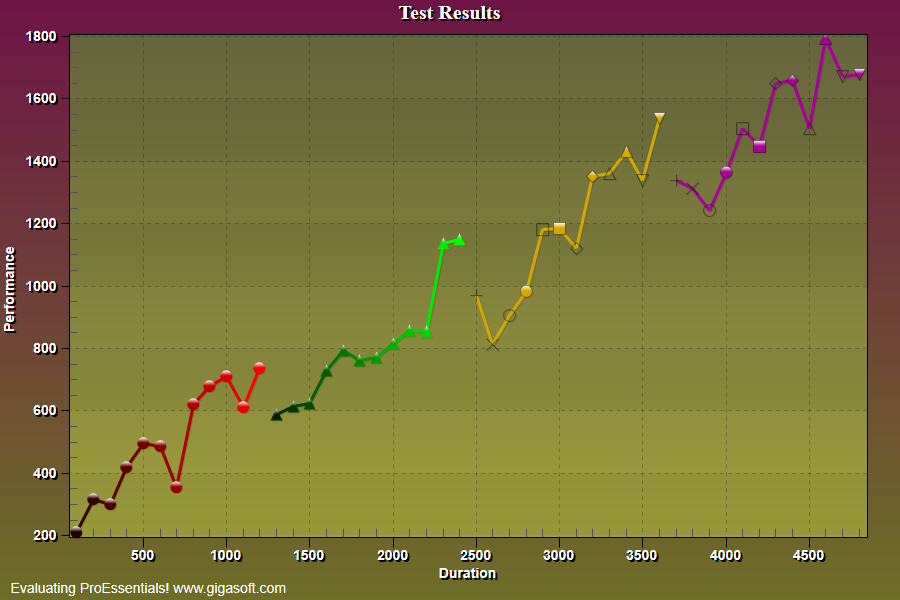
Example 133: Scientific Graph showing multi point types and colors
PesgoScientific Graph Objectintermediate
Multi point types and colors
Form3.cs
1//! Example showing per subset use of PointTypes and PointColors properties //2// This example builds upon the basic CreateSimpleSGraph '100' example chart //3 4CreateSimpleSGraph(Pesgo1);5Pesgo1.PeData.Points = 12;6 7Pesgo1.PePlot.SubsetForPointColors[0] = 0;8Pesgo1.PePlot.SubsetForPointColors[1] = 1;9 10Pesgo1.PePlot.SubsetForPointTypes[0] = 2;11Pesgo1.PePlot.SubsetForPointTypes[1] = 3;12 13// Set SubsetPointColors for first two subsets //14// Also set SubsetPointTypes for last two subsets //15int s, p;16Gigasoft.ProEssentials.Enums.PointType pt;17for (s = 0; s <= 3; s++)18{19 pt = Gigasoft.ProEssentials.Enums.PointType.Plus;20 for (p = 0; p <= 11; p++)21 {22 switch (s) // Subset Index //23 {24 case 0:25 // Set Point Color //26 Pesgo1.PePlot.PointColors[s, p] = Color.FromArgb(255, (byte)(15 + ((p + 1) * 20)), 0, 0);27 // Set YData //28 Pesgo1.PeData.Y[s, p] = (float)(((p + 1) * 50) + (Rand_Num.NextDouble() * 250));29 break;30 case 1:31 // Set Point Color //32 Pesgo1.PePlot.PointColors[s, p] = Color.FromArgb(255, 0, (byte)(15 + ((p + 1) * 20)), 0);33 // Set YData //34 Pesgo1.PeData.Y[s, p] = (float)(((p + 1) * 50) + (Rand_Num.NextDouble() * 250) + 350);35 break;36 case 2:37 // Set Point Type //38 Pesgo1.PePlot.PointTypes[s, p] = pt;39 // Set YData //40 Pesgo1.PeData.Y[s, p] = (float)(((p + 1) * 50) + (Rand_Num.NextDouble() * 250) + 700);41 break;42 case 3:43 // Set Point Type //44 Pesgo1.PePlot.PointTypes[s, p] = pt;45 // Set YData //46 Pesgo1.PeData.Y[s, p] = (float)(((p + 1) * 50) + (Rand_Num.NextDouble() * 250) + 1050);47 break;48 default:49 break;50 }51 pt = pt + 1;52 }53}54 55// Set Various Other Properties ///56Pesgo1.PeColor.BitmapGradientMode = true;57Pesgo1.PeColor.QuickStyle = QuickStyle.MediumLine;58Pesgo1.PePlot.MarkDataPoints = true;59Pesgo1.PePlot.PointSize = PointSize.Large;60Pesgo1.PeLegend.Show = false;61Pesgo1.PePlot.Method = SGraphPlottingMethod.PointsPlusLine;62 63// Generally call ReinitializeResetImage at end **'64Pesgo1.PeFunction.ReinitializeResetImage();65Pesgo1.Invalidate();66// Optionally call Pesgo1.Refresh() if you are not seeing changes immediatelyTip: Uses property syntax like
Pego1.PeData.Y[s, p]Click underlined properties to view documentation