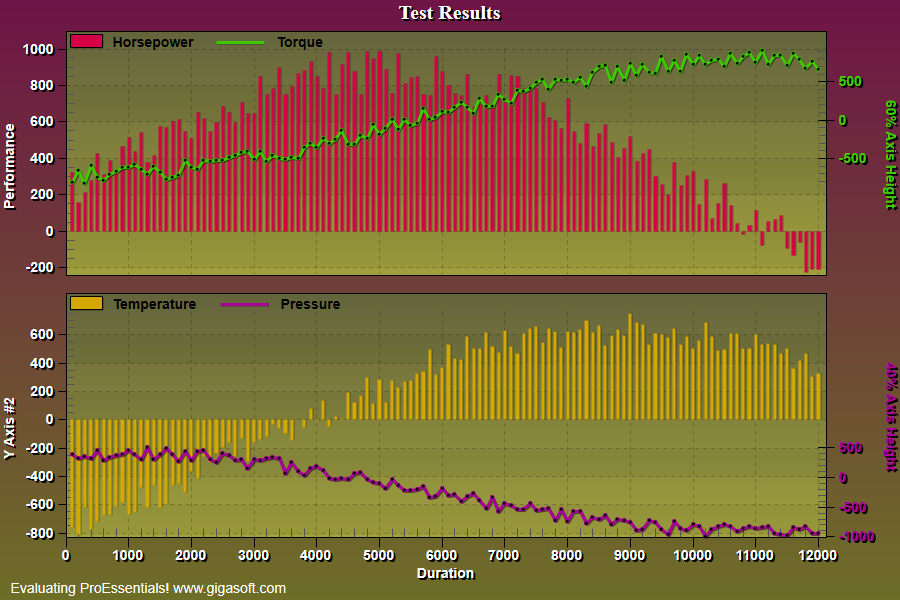
Example 128: Scientific Graph showing partial axes
PesgoScientific Graph Objectbeginner
Partial axes
Form3.cs
1//! Note Right Y Axes do not take up entire axis height. //2 3// This example builds upon the basic CreateSimpleSGraph '100' example chart //4CreateSimpleSGraph(Pesgo1);5 6// Seperate subsets into separate axes //7Pesgo1.PeGrid.MultiAxesSubsets[0] = 2;8Pesgo1.PeGrid.MultiAxesSubsets[1] = 2;9Pesgo1.PeUserInterface.Allow.MultiAxesSizing = true;10 11// First Multi Axes //12Pesgo1.PeGrid.WorkingAxis = 0;13Pesgo1.PePlot.RYAxisComparisonSubsets = 1;14 15// Set Partial Right Y Axis Settings //16Pesgo1.PeGrid.Option.AxisSizeRY = 60; // Set to 60% of axis height17Pesgo1.PeGrid.Option.AxisLocationRY = 40; // Top justify so set to 100 - 6018 19Pesgo1.PePlot.Method = SGraphPlottingMethod.Bar;20Pesgo1.PePlot.MethodII = SGraphPlottingMethodII.Line;21Pesgo1.PeColor.RYAxis = Pesgo1.PeColor.SubsetColors[1];22Pesgo1.PeString.RYAxisLabel = "60% Axis Height";23 24// Second Multi Axes //25Pesgo1.PeGrid.WorkingAxis = 1;26Pesgo1.PePlot.RYAxisComparisonSubsets = 1; // Second multi axes, set second subset on right //27 28// Set Partial Right Y Axis Settings //29Pesgo1.PeGrid.Option.AxisSizeRY = 40; // Set to 40% of axis height30Pesgo1.PeGrid.Option.AxisLocationRY = 0; // Bottom Justify always set to 031 32Pesgo1.PePlot.Method = SGraphPlottingMethod.Bar;33Pesgo1.PePlot.MethodII = SGraphPlottingMethodII.Line;34Pesgo1.PeColor.RYAxis = Pesgo1.PeColor.SubsetColors[3];35Pesgo1.PeString.RYAxisLabel = "40% Axis Height";36 37Pesgo1.PeGrid.WorkingAxis = 0;38 39// Set Various Other Properties ///40Pesgo1.PeColor.BitmapGradientMode = true;41Pesgo1.PeColor.QuickStyle = QuickStyle.MediumLine;42Pesgo1.PeGrid.LineControl = GridLineControl.Both;43Pesgo1.PeLegend.Style = LegendStyle.OneLineInsideAxis;44Pesgo1.PePlot.MarkDataPoints = true;46 47// Generally call ReinitializeResetImage at end **'48Pesgo1.PeFunction.ReinitializeResetImage();49Pesgo1.Invalidate();50// Optionally call Pesgo1.Refresh() if you are not seeing changes immediatelyTip: Uses property syntax like
Pego1.PeData.Y[s, p]Click underlined properties to view documentation