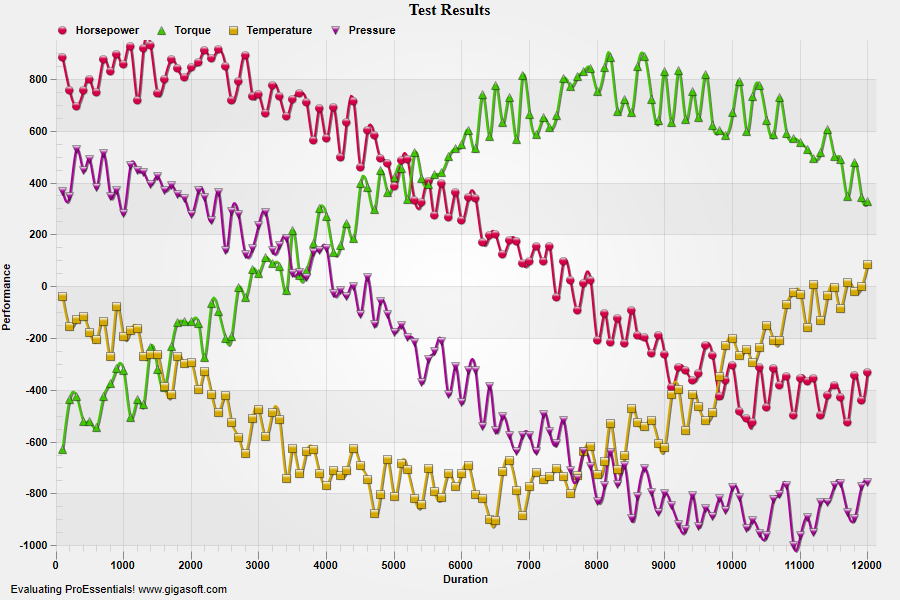
Example 127: Scientific Graph showing custom menus
PesgoScientific Graph Objectadvanced
Custom menus
Form3.cs
1//! This example shows how to implement custom popup menus. //2//! Right click the control and look toward the bottom of popup. //3//! The last 3 menu items are custom menus implemented with the following code. //4 5// This example builds upon the basic CreateSimpleSGraph '100' example chart //6CreateSimpleSGraph(Pesgo1);7 8// Get rid of Help menu item //9Pesgo1.PeUserInterface.Menu.Help = MenuControl.Hide;10 11// Create custom menu to show printing logic for placing multiple images //12// on one page //13 14// Create four menu items on bottom of built-in menu //15// Item 0 creates a separator line16// Item 1 is a checked/unchecked menu option17// Item 2 is a popup with 3 options18// Item 3 is a simple menu item19 20// Set all text //21Pesgo1.PeUserInterface.Menu.CustomMenuText[0] = "|";22Pesgo1.PeUserInterface.Menu.CustomMenuText[1] = "Print in Monochrome Viewing Style";23Pesgo1.PeUserInterface.Menu.CustomMenuText[2] = "Print Orientation|Land Scape|Portrait|Just an item to disable";24Pesgo1.PeUserInterface.Menu.CustomMenuText[3] = "Click Here to Print";25 26// Make Item 1 default to checked //27// 1 below represents menu index, 0 will always be second index for non-popup menu items //28Pesgo1.PeUserInterface.Menu.CustomMenuState[1, 0] = CustomMenuState.Checked;29 30// Make Item 2 sub 2 default to checked //31// Note this is a popup menu item, and second index is 0 for main popup, and 1+n for sub-popup items.32Pesgo1.PeUserInterface.Menu.CustomMenuState[2, 2] = CustomMenuState.Checked;33 34// Make Item 2 sub 3 grayed //35// (2) is the menu index, (3) is to control 3rd sub popup menu item.36Pesgo1.PeUserInterface.Menu.CustomMenu[2, 3] = CustomMenu.Grayed;37 38// Set all menu items to bottom location //39Pesgo1.PeUserInterface.Menu.CustomMenuLocation[0] = CustomMenuLocation.Bottom;40Pesgo1.PeUserInterface.Menu.CustomMenuLocation[1] = CustomMenuLocation.Bottom;41Pesgo1.PeUserInterface.Menu.CustomMenuLocation[2] = CustomMenuLocation.Bottom;42Pesgo1.PeUserInterface.Menu.CustomMenuLocation[3] = CustomMenuLocation.Bottom;43 44// Set Various Other Properties ///45Pesgo1.PeColor.BitmapGradientMode = true;46Pesgo1.PeColor.QuickStyle = QuickStyle.LightNoBorder;47 48Pesgo1.PeLegend.SubsetLineTypes[0] = LineType.MediumThinSolid;49Pesgo1.PeLegend.SubsetLineTypes[1] = LineType.MediumThinSolid;50Pesgo1.PeLegend.SubsetLineTypes[2] = LineType.MediumThinSolid;51Pesgo1.PeLegend.SubsetLineTypes[3] = LineType.MediumThinSolid;52 53Pesgo1.PeGrid.LineControl = GridLineControl.Both;54Pesgo1.PePlot.DataShadows = DataShadows.Shadows;57 58// Generally call ReinitializeResetImage at end **'59Pesgo1.PeFunction.ReinitializeResetImage();60Pesgo1.Invalidate();61// Optionally call Pesgo1.Refresh() if you are not seeing changes immediately62 63/*////////////////////////////////64// Example CustomMenu event //65////////////////////////////////66private void Pesgo1_PeCustomMenu(object sender, Gigasoft.ProEssentials.EventArg.CustomMenuEventArgs e)67{68 CustomMenuState n = CustomMenuState.UnChecked;69 70 // Custom Menu was clicked //71 if(e.MenuIndex == 1)72 {73 // Reverse option //74 n = Pesgo1.PeUserInterface.Menu.CustomMenuState[e.MenuIndex, 0];75 if(n == CustomMenuState.UnChecked)76 n = CustomMenuState.Checked;77 else78 n = CustomMenuState.UnChecked;79 80 Pesgo1.PeUserInterface.Menu.CustomMenuState[e.MenuIndex, 0] = n;81 return;82 }83 84 if(e.MenuIndex == 2)85 {86 // Option Explicit so first set all to unchecked //87 Pesgo1.PeUserInterface.Menu.CustomMenuState[e.MenuIndex, 1] = CustomMenuState.UnChecked;88 Pesgo1.PeUserInterface.Menu.CustomMenuState[e.MenuIndex, 2] = CustomMenuState.UnChecked;89 Pesgo1.PeUserInterface.Menu.CustomMenuState[e.MenuIndex, 3] = CustomMenuState.UnChecked;90 91 // Next set the selected item //92 Pesgo1.PeUserInterface.Menu.CustomMenuState[e.MenuIndex, e.SubmenuIndex] = CustomMenuState.Checked;93 return;94 }95 96 if(e.MenuIndex == 3)97 {98 // Perform the print //99 100 // Get Mono/Color menu setting //101 Boolean nMono;102 nMono = Convert.ToBoolean(Pesgo1.PeUserInterface.Menu.CustomMenuState[1, 0]);103 104 // Get Orientation setting //105 DefOrientation nOrient;106 Pesgo1.PeUserInterface.Menu.CustomMenuState[2, 1] = n;107 108 if( n == CustomMenuState.Checked)109 nOrient = DefOrientation.Portrait; // Portrait110 else111 nOrient = DefOrientation.LandScape; // Landscape112 113 // Save current viewing style type properties //114 Boolean nBG;115 QuickStyle nQS;116 RenderEngine nRE;117 nQS = Pesgo1.PeColor.QuickStyle;118 nBG = Pesgo1.PeColor.BitmapGradientMode;119 nRE = Pesgo1.PeConfigure.RenderEngine;120 Pesgo1.PeConfigure.RenderEngine = RenderEngine.Hybrid;121 122 // Set Viewing Style with respect to retrieved menu state //123 if(nMono)124 {125 Pesgo1.PeColor.ViewingStyle = ViewingStyle.Mono;126 Pesgo1.PeColor.Mono.GraphBackground = Color.Empty;127 128 // Make sure white is used as background129 Pesgo1.PeColor.DeskGradientStyle = GradientStyle.Vertical;130 Pesgo1.PeColor.DeskGradientStart = Color.FromArgb(255, 255, 255, 255);131 Pesgo1.PeColor.DeskGradientEnd = Color.FromArgb(255, 255, 255, 255);132 133 // Make sure white is used as background134 Pesgo1.PeColor.GraphGradientStyle = GradientStyle.Vertical;135 Pesgo1.PeColor.GraphGradientStart = Color.FromArgb(255, 255, 255, 255);136 Pesgo1.PeColor.GraphGradientEnd = Color.FromArgb(255, 255, 255, 255);137 138 // Remove any possible desk bmp //139 Pesgo1.PeColor.DeskBmpStyle = BitmapStyle.NoBmp;140 }141 else142 {143 Pesgo1.PeColor.ViewingStyle = ViewingStyle.Color;144 Pesgo1.PeColor.GraphBackground = Color.Empty ;145 146 // Force a white graph background //147 Pesgo1.PeColor.DeskGradientStyle = GradientStyle.Vertical;148 Pesgo1.PeColor.DeskGradientStart = Color.FromArgb(255, 255, 255, 255);149 Pesgo1.PeColor.DeskGradientEnd = Color.FromArgb(255, 255, 255, 255);150 }151 152 // Set some other properties good for mono printing //153 Pesgo1.PePlot.DataShadows = DataShadows.None;155 156 // Set background bitmap/example logo //157 Pesgo1.PeColor.BitmapGradientMode = true;158 Pesgo1.PeColor.GraphBmpStyle = BitmapStyle.BitBltBottomRight;159 Pesgo1.PeColor.GraphBmpFilename = "getthep.png";160 161 //! Note, GraphBackColor or MonoGraphBackColor is set above //162 Pesgo1.PeFunction.PartialReinitialize();163 164 Pesgo1.PeFunction.PrintGraph(0, 0, nOrient);165 166 // Reset properties back to original //167 Pesgo1.PeConfigure.RenderEngine = nRE;168 Pesgo1.PeColor.BitmapGradientMode = nBG;169 Pesgo1.PeColor.QuickStyle = nQS;170 Pesgo1.PePlot.DataShadows = DataShadows.Shadows;172 Pesgo1.PeColor.ViewingStyle = ViewingStyle.Color;173 174 Pesgo1.PeFunction.ReinitializeResetImage();175 }176}177*/Tip: Uses property syntax like
Pego1.PeData.Y[s, p]Click underlined properties to view documentation