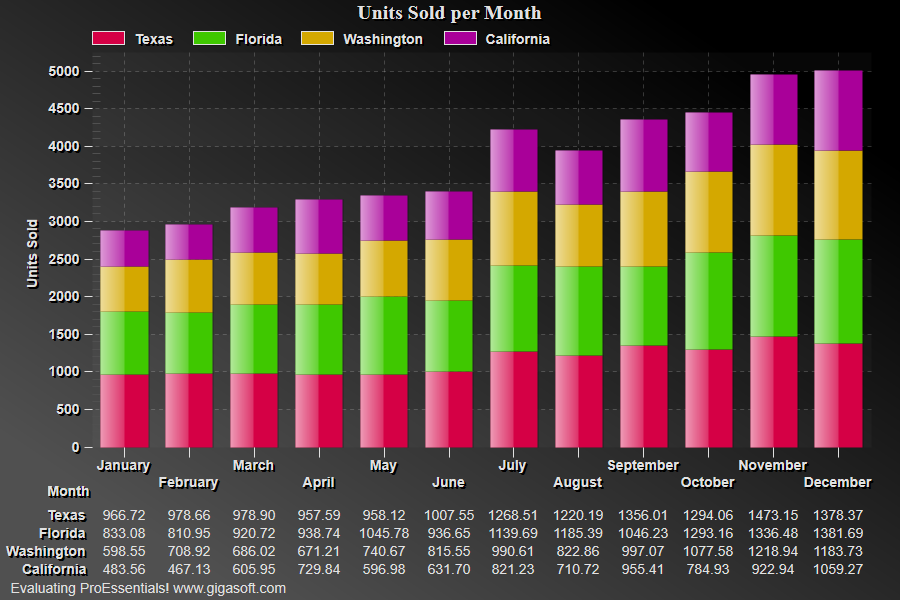
1//! Try this... Right Click chart and change the Plotting Method to Horizontal Bar Stacked. //
2
3// This example builds upon the basic CreateSimpleGraph '000' example chart //
4CreateSimpleGraph(Pego1);
5
6// Enable Stacked type charts //
9
10// Set plotting method //
12
13// Add a table //
14Pego1.PeTable.Show = GraphPlusTable.Both; 15Pego1.PeData.Precision = DataPrecision.TwoDecimals; 16
17// Generally call ReinitializeResetImage at end **'
19Pego1.Invalidate();
20// Optionally call Pego1.Refresh() if you are not seeing changes immediately