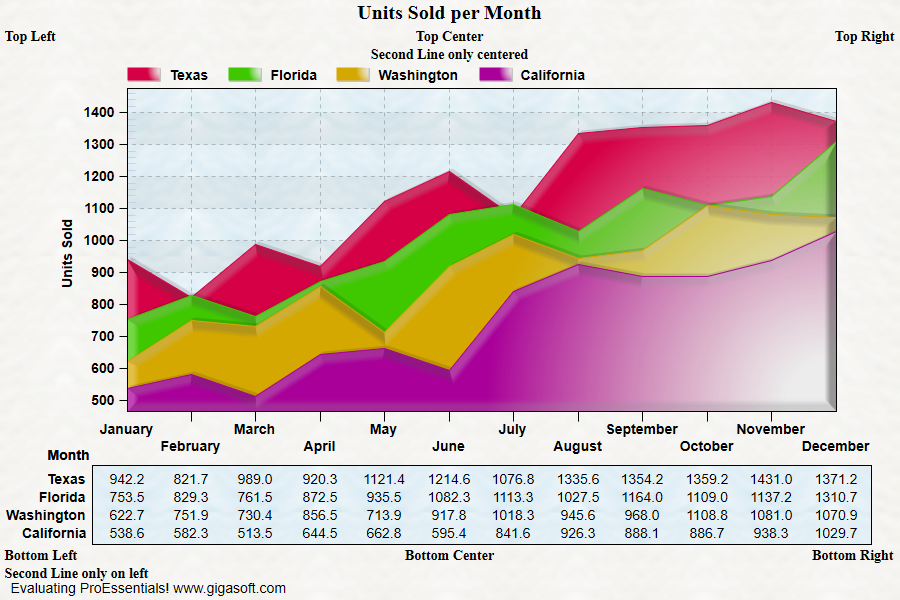
Example 011: Graph showing MultiSubTitles

PegoGraph Objectbeginner

MultiSubTitles

Preview

ProEssentials Pego Graph Object - Graph showing MultiSubTitles
Click to enlarge

Source Code

Form2.cs
1//! Look for the text immediately above and below image. //
2
3// This example builds upon the basic CreateSimpleGraph '000' example chart //
4CreateSimpleGraph(Pego1);
5
6//! Note that strings below always have two pipe symbols "|" //
7
8// Set Multi Sub and Bottom Titles //
9Pego1.PeString.MultiSubTitles[0] = "Top Left|Top Center|Top Right";
10Pego1.PeString.MultiSubTitles[1] = "|Second Line only centered|";
11
12// Note that bottom titles get drawn from bottom up //
13Pego1.PeString.MultiBottomTitles[0] = "Second Line only on left||";
14Pego1.PeString.MultiBottomTitles[1] = "Bottom Left|Bottom Center|Bottom Right";
15
16// Other various properties //
17Pego1.PeColor.BitmapGradientMode = true;
18Pego1.PeColor.QuickStyle = QuickStyle.LightLine;
19Pego1.PePlot.MarkDataPoints = false;
20
21// Generally call ReinitializeResetImage at end **'
22Pego1.PeFunction.ReinitializeResetImage();
23Pego1.Invalidate();
24// Optionally call Pego1.Refresh() if you are not seeing changes immediately
Tip: Uses property syntax like Pego1.PeData.Y[s, p]Click underlined properties to view documentation