Example 004: Graph showing simple high-low-close
PegoGraph Objectbeginner
Simple high-low-close
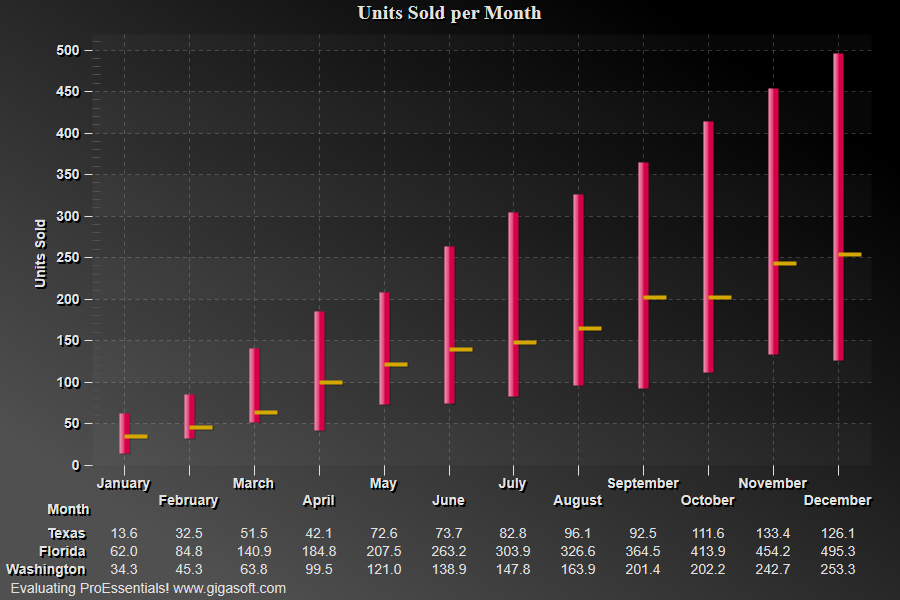
Form2.cs
1// This example builds upon the basic CreateSimpleGraph '000' example chart //2CreateSimpleGraph(Pego1);3 4// Set PlottingMethod and SpecificPlotMode Type //5Pego1.PePlot.Method = GraphPlottingMethod.SpecificPlotMode;6Pego1.PePlot.SpecificPlotMode = SpecificPlotMode.HighLowClose;7 8// setting this true causes high-low-close to be multi colored9Pego1.PePlot.Option.SpecificPlotModeColor = true;10 11// Change Data to something more appropriate //12Pego1.PeData.Subsets = 3; // set number of subsets13Pego1.PeData.Points = 12; // number of data points14 15// Pass YData, Line Start, Line End, and Close Value //16int s, p;17for(s = 0; s <= 2; s++)18{19 for(p = 0; p <= 11; p++)20 {21 if(s == 0)22 Pego1.PeData.Y[s, p] = ((p + 1) * 10 + ((float)(Rand_Num.NextDouble()) * 25));23 else if(s == 1)24 Pego1.PeData.Y[s, p] = ((p + 1) * 40 + ((float)(Rand_Num.NextDouble()) * 25));25 else if( s == 2)26 Pego1.PeData.Y[s, p] = ((p + 1) * 20 + ((float)(Rand_Num.NextDouble()) * 25));27 }28}29 30// Generally call ReinitializeResetImage at end **'31Pego1.PeFunction.ReinitializeResetImage();32Pego1.Invalidate();33// Optionally call Pego1.Refresh() if you are not seeing changes immediatelyTip: Uses property syntax like
Pego1.PeData.Y[s, p]Click underlined properties to view documentation