English
中文 - Chinese
한국어 - Korean
日本語 - Japanese
Deutsche - German
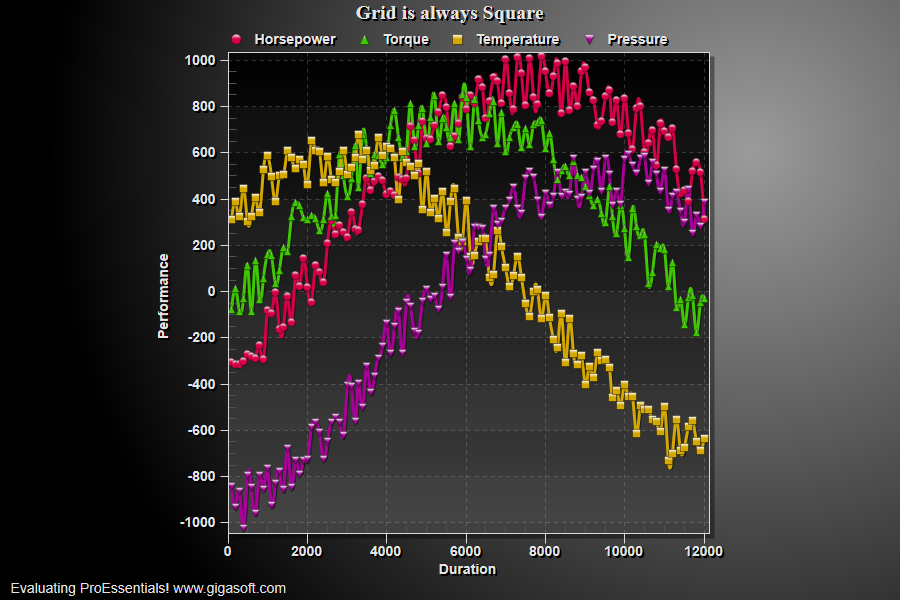
Fixed grid aspect
1//! Showing how to force a grid aspect ratio //2//! In this case, always square, resize to demo. //3 4// This example builds upon the basic CreateSimpleSGraph '100' example chart //5CreateSimpleSGraph(Pesgo1);6 7// ratio is height / width and 1.0 creates a square //8Pesgo1.PeGrid.Option.GridAspect = 1.0F;9 10// Set Various Other Properties //11Pesgo1.PeColor.BitmapGradientMode = true;12Pesgo1.PeColor.QuickStyle = QuickStyle.DarkShadow;13Pesgo1.PeString.MainTitle = "Grid is always Square";14Pesgo1.PeGrid.LineControl = GridLineControl.Both;15 16// Generally call ReinitializeResetImage at end **'17Pesgo1.PeFunction.ReinitializeResetImage();18Pesgo1.Invalidate();19// Optionally call Pesgo1.Refresh() if you are not seeing changes immediately
Pego1.PeData.Y[s, p]