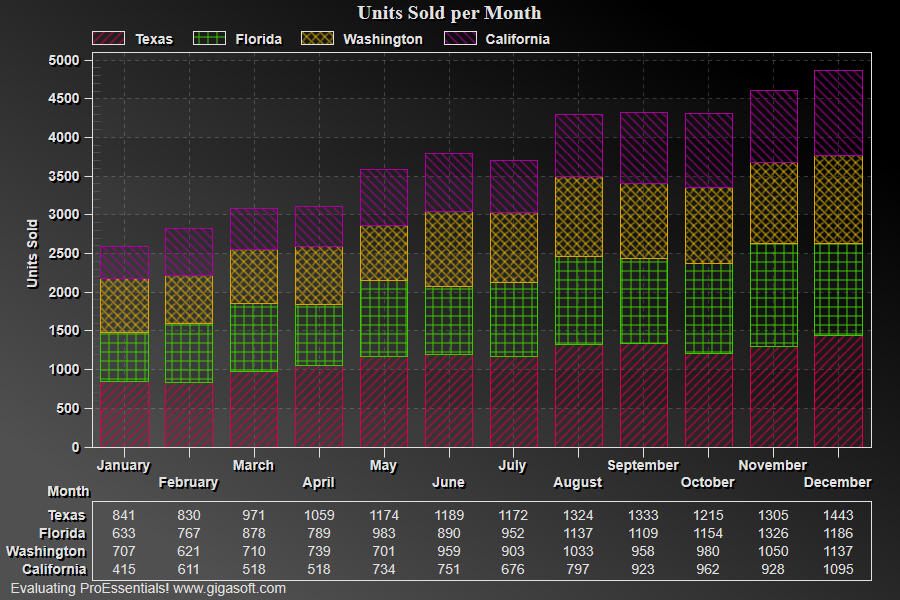
Example 021: Graph showing Hatching
PegoGraph Objectbeginner
Hatching
Form2.cs
1// This example builds upon the basic CreateSimpleGraph '000' example chart //2CreateSimpleGraph(Pego1);3 4Pego1.PePlot.SubsetHatch[0] = HatchType.BDiagonal;5Pego1.PePlot.SubsetHatch[1] = HatchType.Cross;6Pego1.PePlot.SubsetHatch[2] = HatchType.DiagonalCross;7Pego1.PePlot.SubsetHatch[3] = HatchType.FDiagonal;8 9// Set Other Various Properties //10Pego1.PeColor.BitmapGradientMode = true;11Pego1.PeColor.QuickStyle = QuickStyle.DarkNoBorder;12Pego1.PeConfigure.BorderTypes = TABorder.SingleLine;13 14// Enable Stacked type charts //15Pego1.PePlot.Allow.StackedData = true;16 17// Set plotting method //18Pego1.PePlot.Method = GraphPlottingMethod.BarStacked;19Pego1.PeColor.HatchBackColor = Color.FromArgb(25, 0, 0, 0);20Pego1.PePlot.DataShadows = DataShadows.None;21Pego1.PePlot.Option.BarGlassEffect = false;22 23// subset colors //24Pego1.PeColor.SubsetColors[0] = MainWindow.DemoColors[0];25Pego1.PeColor.SubsetColors[1] = MainWindow.DemoColors[1];26Pego1.PeColor.SubsetColors[2] = MainWindow.DemoColors[2];27Pego1.PeColor.SubsetColors[3] = MainWindow.DemoColors[3];28 29// Add a table //30Pego1.PeTable.Show = GraphPlusTable.Both;31Pego1.PeData.Precision = 0;32 33Pego1.PeFunction.ReinitializeResetImage();34Pego1.Invalidate();35// Optionally call Pego1.Refresh() if you are not seeing changes immediatelyTip: Uses property syntax like
Pego1.PeData.Y[s, p]Click underlined properties to view documentation