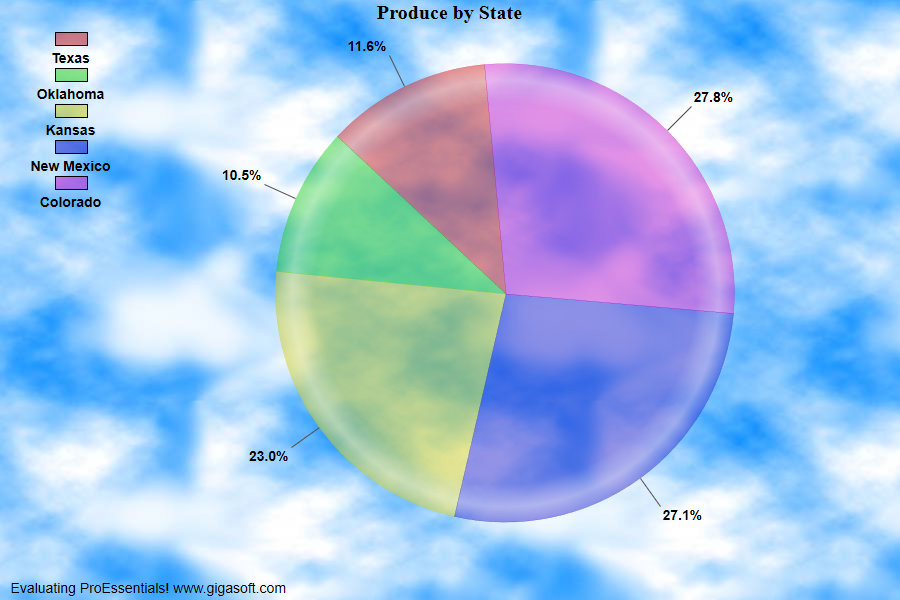
Example 302: Pie Chart showing optional legend
PepcoPie Chart Objectbeginner
Optional legend
Form5.cs
1//! Double click slice label to explode. //2 3// This example builds upon the basic CreateSimplePie '300' example chart //4CreateSimplePie(Pepco1);5 6// Change Data //7Pepco1.PeData.Subsets = 1;8Pepco1.PeData.Points = 5;9 10for( int p = 0; p <= 4; p++)11 Pepco1.PeData.X[0, p] = (float)((Rand_Num.NextDouble() * 5) + ((Rand_Num.NextDouble() * 100) / 100.0F));12 13Pepco1.PeLegend.ShowPieLegend = true;14Pepco1.PePlot.ShowPieLabels = ShowPieLabels.PercentOnly;15 16Pepco1.PeLegend.Location = LegendLocation.Left;17Pepco1.PePlot.Show3DShadow = false;18 19// Set various other properties //20Pepco1.PeColor.BitmapGradientMode = true;21Pepco1.PeColor.Desk = Color.FromArgb(0, 1, 0, 0); // Empty equiv Color.Empty;22Pepco1.PeColor.DeskBmpFilename = System.AppDomain.CurrentDomain.BaseDirectory + "cloud.jpg";23Pepco1.PeColor.DeskBmpStyle = BitmapStyle.TiledBitBlt;24Pepco1.PeColor.GraphForeground = Color.FromArgb(255, 0, 0, 0);25Pepco1.PeColor.Text = Color.Black;26 27// Set Slice Colors //28Pepco1.PeColor.SubsetColors[0] = Color.FromArgb(120, 198, 0, 0);29Pepco1.PeColor.SubsetColors[1] = Color.FromArgb(120, 0, 198, 0);30Pepco1.PeColor.SubsetColors[2] = Color.FromArgb(120, 198, 198, 0);31Pepco1.PeColor.SubsetColors[3] = Color.FromArgb(120, 0, 0, 198);32Pepco1.PeColor.SubsetColors[4] = Color.FromArgb(120, 198, 0, 198);33 34Pepco1.PePlot.DataShadows = DataShadows.None;35 36Pepco1.PeFunction.ReinitializeResetImage();37Pepco1.Invalidate();Tip: Uses property syntax like
Pego1.PeData.Y[s, p]Click underlined properties to view documentation